Update on 2014/01/04:
Many things changed since the original post was published. Now HaXe is 3.0 and HXSL reaches 2.0. So here is the updated source code of the example for HaXe 3 and HXSL 2:
https://flaswf.googlecode.com/svn/trunk/flaswfblog/Tutorials/HxSL2DShader/HaXe3HXSL2/
====================
Maybe you know how to use Pixel Bender in your Flash project to create some custom filters. Alternatively, with the new Stage3D API introduced in Flash 11, we can write 2D filters running with GPU. Here is the example:
The idea is simple: draw a plane using two triangles, upload the images you want to process as textures and do all the magic in your fragment shaders. I recommended you to try HxSL, an advanced shader language which has similar grammar to the Pixel Bender language. The above example - Poster Effect is ported from the Pixel Bender filter with only a few modifications of the original Pixel Bender filter code.
The full source code of the above example (HaXe/HxSL):
https://flaswf.googlecode.com/svn/trunk/flaswfblog/Tutorials/HxSL2DShader
The source code of the Poster Shader in Pixel Bender Language:
http://www.adobe.com/cfusion/exchange/index.cfm?event=extensionDetail&loc=en_us&extid=2400022
Links:
Announcing HxSL:
http://ncannasse.fr/blog/announcing_hxsl
Using Flash 3D API:
http://haxe.org/doc/advanced/flash3d
HxSL API:
http://haxe.org/manual/hxsl
Showing posts with label filter. Show all posts
Showing posts with label filter. Show all posts
Sunday, December 23, 2012
Use HxSL/Stage3D to Create 2D Filters/Shaders

Friday, May 15, 2009
Image Binarization and Edge Tracing in Flash
Image binarization and edge tracing are some old school image technologies.
Just played with them in as3 when I was trying to create a cartoon filter for flash.
Those techs are pixel level transformations, get/setPixel and get/setPixel32 can do that job,
it works slow, though.
The result,
original image: Binarized image:
Edge:

Nothing new here. But if you need it, here are the codes:
/**
 *Simple Image Binarization and Edge Tracing Test in ActionScript3.0
 *May. 15, 2009
 *Bruce Jawn
 *http://bruce-lab.blogspot.com/
 *http://www.geocities.com/zhoubu1988

 *Feel Free To Use This Code!
 *Build this class file with FLEX or FlashDevelop
 *OR Set Document Class in Flash IDE (9 and above)
 *OR just copy what between "TIMELINE CODES BEGIN<<"*">>TIMELINE CODES END"-
 *to Flash IDE TIMELINE and Press Ctrl+Enter.-
 *Don't forget to give your image a linkage-"SourceImage"-
 *and remove "//" before "var mytex:..."!
 **/
package {
 import flash.display.*;
 //[SWF(backgroundColor="#000000", frameRate="12", width="550", height="400")]
 public class IBET_Test_Timeline_Class extends Sprite {
  [Embed(source='Your_Image_URL_Here.jpg')]
  private var SourceImage:Class;
  public function IBET_Test_Timeline_Class():void {
   var mytex:BitmapData=(new SourceImage()).bitmapData;
   //------------------------------------------------
   //TIMELINE CODES BEGIN<<<<<<<<<<<<<<<<<<<<<<<<<<<<<<
   //var mytex:BitmapData=new SourceImage(0,0);
   var w:int=mytex.width;
   var h:int=mytex.height;
   var c:Array=new Array(256);

   function look(a:int,b:int):void {
    for (var i:int=0; i< a; i++) {
     c[i]=0x00ffffff;
    }
    for (var i:int=a; i< a+b-1; i++) {
     c[i]=0x00000000;
    }
    for (var i:int=a+b-1; i<=255; i++) {
     c[i]=0x00ffffff;
    }
   }//end of function look

   look(50,100);

   var outB:BitmapData=new BitmapData(w,h,false,0x000000);//Binarized Image

   //Graylize Source Image
   for (var i:int=w-1; i>=0; i--) {
    for (var j:int=0; j<=h-1; j++) {
     var pixelValue:uint=mytex.getPixel32(i,j);
     var alphaValue:uint=pixelValue>>24&0xFF;
     var red:uint=pixelValue>>16&0xFF;
     var green:uint=pixelValue>>8&0xFF;
     var blue:uint=pixelValue&0xFF;
     var color:uint=Math.round(0.3*red+0.59*green+0.11*blue);
     var cc:uint=c[color];
     if (cc>0) {
      color=0xffffff;
     } else {
      color=0x000000;
     }
     outB.setPixel(i,j,color);
    }//end of for0
   }//end of for1

   var outT:BitmapData=outB.clone();//Edge Image

   for (i=1; i<=w-1; i++) {
    for (j=1; j<=h-1; j++) {
     var pixelValue1:uint=outB.getPixel(i,j);
     if (pixelValue1==0) {
      var n1:uint=outB.getPixel(i+1,j);
      var n2:uint=outB.getPixel(i,j+1);
      var n3:uint=outB.getPixel(i-1,j);
      var n4:uint=outB.getPixel(i,j-1);
      var n5:uint=outB.getPixel(i-1,j-1);
      var n6:uint=outB.getPixel(i+1,j+1);
      var n7:uint=outB.getPixel(i+1,j-1);
      var n8:uint=outB.getPixel(i-1,j+1);
      if (n1+n2+n3+n4+n5+n6+n7+n8==0) {
       outT.setPixel(i,j,0xffffff);
      }//end of if (n1+n2+n3+n4+n5+n6+n7+n8==0)
     }//end of if (pixelValue1==0)
    }//end of for0
   }//end of for1

   addChild(new Bitmap(outB));
   addChild(new Bitmap(outT));
   this.getChildAt(0).y=h;
   //>>>>>>>>>>>>>>>>>>>>>>>>>>>>>>TIMELINE CODES END
   //------------------------------------------------
  }//end of function IBET_Test_Timeline_Class
 }//end of class
}//end of package
================================================
UPDATA 2009_7_09
another cartoon filter (version B) using Image binarization and edge tracing:
original image:
result:

source file:http://flaswf.googlecode.com/files/CartoonFilter_B.as
Sunday, April 19, 2009
Cartoonize Image by AS3.0 - Cartoon Filter
Using Photoshop or Gimp, you can create lots of artistic pictures from photos like water painting, oil painting, sketch ..., by powerful filters there.
Actionscript provides some filters such as BlurFilter, DisplacementMapFilter... and two basic but useful filter ColorMatrixFilter and ConvolutionFilter. We can do many things using those two filter. Here are two tutorials explaining them:
http://docs.gimp.org/en/plug-in-convmatrix.html (ConvolutionFilter)
Once I want to convert a photo into a Chinese painting style pic but failed.
What inspired me recently is this free online app based on flash -Befunky Cartoonizer http://www.befunky.com/, which can convert your photo into a cartoon style pic.
 I searched the Internet and found some tutorials on how to cartoonize your photo into cartoon
using some image processing software.
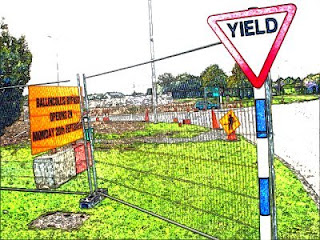 (Now we have a cartoon filter in GIMP: http://docs.gimp.org/en/plug-in-cartoon.html)
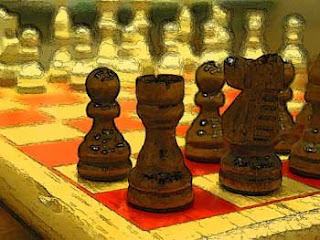 I found that the only trick is to find edges of image, extract outline of shapes and set BelndMode to multiply! I think Actionscript can handle that, so did this little experiment.
Firstly, ConvolutionFilter can do edge detection. Secondly, we can use BitmapData.draw()
+BlendMode to set blend mode.
However, in my test, simple edge detection using ConvolutionFilter with 3*3 array
[ 0, -1, 0, -1, 4, -1, 0, -1, 0 ] or [1, 2, 1, 0 ,0, 0, -1, -2, -1] or [1, 0, -1, 2, 0, -2, 1, 0, -1]
wouldn't result a nice effect.
But thanks to this post:
I get a better way to extract outlines.
If you wants to know more about edge detection using AS3.0, here are two tutorials with source:
And I found BlendMode.OVERLAY seems better than BlendMode.MULTIPLY.
This is the final result:
original picture:
edge detection:
 BlendMode.MULTIPLY+Blur :
 BlendMode.OVERLAY :
 It doesn't look like a cartoon very much and may produce ugly things when using photos of human face but that's all I can do now.
In my test this is not suitable for real time rendering. 6*applyFilter()+3*draw()+2*threshold() eats too much CPU. I hope to find some better ways to do this. Hope some one could write a shader to do that work. If anyone knows a faster way to trace edges, please tell me. I do hope to make it run on the fly!
Source Code:
================================================
UPDATE 2009_7_09
another cartoon filter (version B) using Image binarization and edge tracing:
http://bruce-lab.blogspot.com/2009/05/image-binarization-and-edge-tracing-in.html
Subscribe to:
Posts (Atom)

 Posts
Posts

